
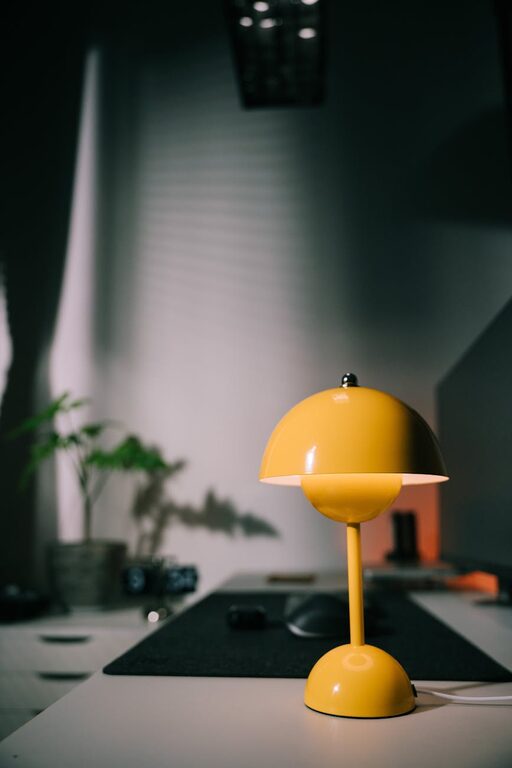
Creating a relaxing home workspace is essential for maintaining focus and well-being, especially as more people work remotely or spend long hours at a desk. A calm, comfortable environment can help you stay productive while reducing stress and fatigue. Whether you have a dedicated room or a small corner in your home, there are plenty of ways to transform your workspace into a peaceful retreat.
Why a Relaxing Workspace Matters
Your working environment directly affects your mood, energy levels, and efficiency. A cluttered or noisy space can lead to distraction and tension, while a well-organised and pleasant setting encourages concentration and creativity. By making your workspace relaxing, you create conditions that support both your mental health and your work performance.
Choose the Right Location
Selecting the right spot for your home office is the first step. Ideally, use a quiet area away from heavy foot traffic or loud appliances. If you don’t have a separate room, a corner of a room with minimal interruptions works well. Natural light is a great asset — choose a space near a window when possible.
Tips for Choosing Your Workspace Location:
– Avoid high-traffic areas like the kitchen or living room when you need deep focus.
– Assess noise levels at different times; pick a quieter area for working hours.
– Consider privacy and whether you might have video calls or meetings.
– Ensure good ventilation to keep the air fresh.
Organise Your Space Effectively
Clutter can increase stress and hamper productivity. A relaxing workspace is tidy and well organised, making it easier to find what you need and keep distractions at bay.
Simple organisation ideas:
– Use desk organisers or trays to store stationery neatly.
– Keep only essential items on your desk to avoid crowding.
– Label cables and chargers to prevent tangles.
– Employ shelves or drawers to store documents and supplies out of sight.
Regularly declutter your workspace to maintain a clean and calming environment.
Choose Comfortable and Supportive Furniture
Comfort is a key factor in creating a relaxing workspace. Invest in a good quality chair with proper back support, as you’ll be spending long periods sitting.
Furniture tips:
– Select a chair with adjustable height and lumbar support.
– Use a desk at the correct height for typing and writing to prevent strain.
– Consider standing desks or sit-stand converters for flexibility.
– Add cushions or footrests if needed to improve posture.
Comfortable furniture not only reduces physical discomfort but also helps maintain mental ease during work hours.
Pay Attention to Lighting
Lighting affects both your mood and your ability to concentrate. Natural light is ideal, as it reduces eye strain and increases alertness.
Lighting tips:
– Position your desk near windows but avoid glare on screens.
– Use adjustable desk lamps with soft, warm light for late-work hours.
– Avoid harsh fluorescent lights that can cause headaches.
– Consider adding plants that thrive in your workspace lighting for a touch of nature.
A well-lit workspace reduces fatigue and enhances a positive atmosphere.
Add Personal Touches Thoughtfully
Personalising your workspace can make it more inviting and relaxing, but it’s important not to overdo it.
Ideas for personal touches:
– Display a few favourite photos or artwork.
– Include plants such as succulents or small ferns to freshen the air and add colour.
– Use calming colours in your accessories or décor like soft blues or greens.
– Incorporate soothing scents via candles or essential oil diffusers, but keep them subtle.
These touches can inspire and comfort you without creating distractions.
Manage Noise and Distractions
Unexpected noises and interruptions can disrupt your workflow. Using strategies to control noise can help keep your mind focused and calm.
Noise management ideas:
– Use noise-cancelling headphones or earplugs if you are sensitive to background sounds.
– Play soft instrumental or ambient music if it helps your focus.
– Communicate with family or housemates about your working hours to minimise interruptions.
– Consider soundproofing options such as rugs, curtains, or acoustic panels.
Maintain Good Air Quality and Temperature
A comfortable temperature and clean air contribute significantly to relaxation and alertness.
Tips for air quality and temperature:
– Open windows regularly to let in fresh air.
– Use fans or heaters to maintain a pleasant temperature.
– Avoid sitting directly under heating or cooling vents.
– Keep indoor plants that improve air quality.
A fresh and comfortable atmosphere supports your overall comfort and health.
Take Regular Breaks and Move
A relaxing workspace also complements healthy working habits. Remember to take breaks to stretch, move around, and rest your eyes. This complements the calm environment you’ve created and helps maintain productivity.
Simple break ideas:
– Use the 20-20-20 rule: every 20 minutes, look 20 feet away for 20 seconds.
– Stand up and stretch every hour.
– Walk around your home or step outside for fresh air when possible.
– Keep a water bottle near you to stay hydrated.
—
Creating a relaxing home workspace is about combining practical organisation with comfort and tranquility. By carefully choosing your location, organising your tools, adding personal but simple touches, and managing environmental factors, you can build a space that enhances both your work and well-being. Take small steps to improve your workspace, and you’ll likely find your workday becomes more enjoyable and productive.