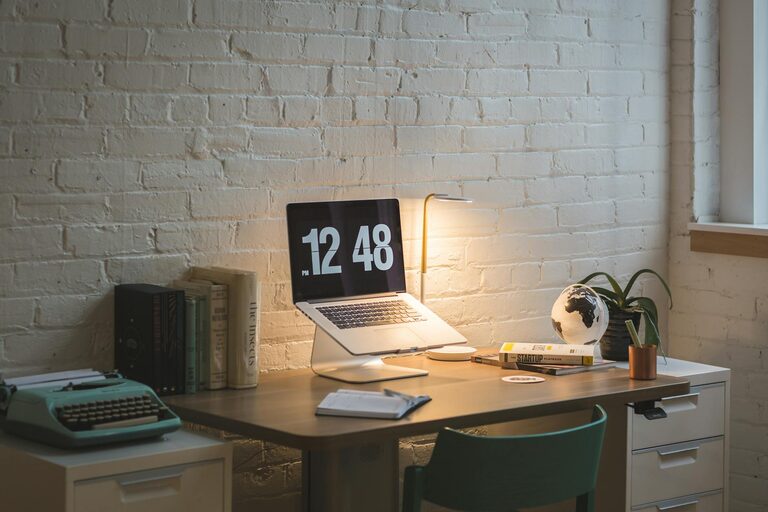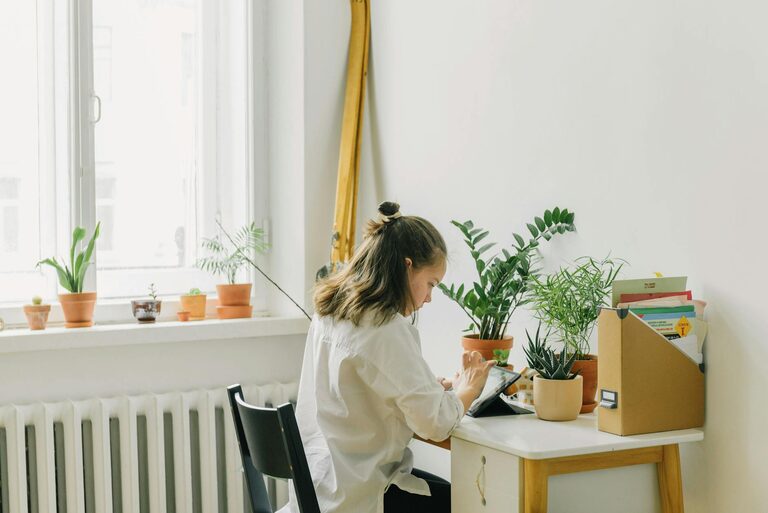

Creating a productive home office environment is essential for anyone working from home. With the right setup, you can improve focus, reduce distractions, and maintain a healthy work-life balance. Whether you have a dedicated room or just a small corner in your home, the following tips will help you design a workspace that supports productivity and wellbeing.
Choose the Right Location
Selecting the right spot for your home office is the first step towards creating a productive environment.
– Quiet and Private: Choose a space away from high-traffic areas to minimise noise and interruptions.
– Natural Light: Position your desk near a window to benefit from natural light, which can improve mood and reduce eye strain.
– Adequate Space: Ensure there is enough room for your equipment, storage, and any materials you need to keep close by.
If space is limited, be creative with corner desks, or use room dividers to carve out your workspace.
Invest in Comfortable and Functional Furniture
Your furniture plays a huge role in productivity and comfort.
– Ergonomic Chair: An adjustable chair with good lumbar support helps prevent back and neck pain.
– Desk Height: A desk at the right height ensures your arms can rest comfortably while typing.
– Storage Solutions: Shelves, filing cabinets, or desk organisers keep clutter under control and essential items within reach.
Comfort encourages longer, more productive work sessions and supports your physical health.
Optimise Lighting
Good lighting reduces eye strain and keeps you alert.
– Natural Light: As mentioned above, try to use natural light during the day.
– Task Lighting: Use desk lamps with adjustable brightness to illuminate specific areas when needed.
– Avoid Glare: Position screens or lights so they don’t cause reflections or glare, which can be distracting.
Consider warm or neutral light bulbs for a calming atmosphere that still supports focus.
Minimise Distractions
A productive workspace should limit interruptions and distractions.
– Sound Control: Use noise-cancelling headphones or play gentle background music if ambient noise bothers you.
– Turn Off Notifications: Silence non-essential notifications on your phone and computer.
– Organise Cables: Tidy cables and wires to reduce visual clutter and hazards.
Setting boundaries with family or housemates about your office hours can also help maintain focus.
Personalise Your Space
Adding personal touches can make your workspace more inviting and motivating.
– Plants: A few small plants can improve air quality and create a calming environment.
– Photos or Artwork: Display pictures or artwork that inspire or cheer you.
– Colour: Incorporate colours that energise you, such as blues or greens, through accessories like cushions, rugs, or wall paint.
However, avoid over-decorating as too much visual stimulus can be distracting.
Keep your Technology Efficient
Reliable technology keeps your workflow smooth.
– Fast Internet: A stable and fast internet connection is essential for video calls and cloud work.
– Updated Devices: Keep your computer and software updated to avoid slow performance or security issues.
– Peripherals: Use a good-quality keyboard, mouse, and monitor to improve comfort and productivity.
Organise cords and chargers neatly to keep the area tidy.
Develop a Routine and Boundaries
Your environment supports productivity best when paired with good habits.
– Set Working Hours: Define clear start and finish times for work to separate professional and personal life.
– Take Breaks: Regular breaks improve focus and prevent burnout; consider using techniques like the Pomodoro method.
– End-of-Day Ritual: Tidy your workspace and switch off devices to mentally close the workday.
Consistency helps train your brain to associate your home office with work mode.
Maintain Organisation and Cleanliness
A clutter-free space is easier to focus in.
– Daily Tidying: Spend a few minutes each day putting things away.
– Use Lists: Keep a to-do list or planner visible to track tasks and priorities.
– Declutter Regularly: Review your workspace monthly to remove unnecessary items.
Organised spaces reduce stress and save time searching for materials.
Consider Temperature and Air Quality
Your physical comfort affects concentration.
– Comfortable Temperature: Maintain a room temperature that feels neither too hot nor too cold.
– Ventilation: Fresh air helps keep you alert; open a window or use an air purifier.
– Humidifiers: If your home is dry, especially in winter, a humidifier can improve comfort.
A comfortable atmosphere encourages longer and more focused work sessions.
—
By carefully choosing your workspace, investing in comfort, minimising distractions, and maintaining good habits, you can transform your home office into a productive environment. Remember that small changes can make a big difference to your focus, wellbeing, and overall work satisfaction when working from home.